Microsoft Visual Studio 2026 Look
 BCGControlBar Pro (MFC)
 BCGSuite (MFC)
BCGControlBar for .NET
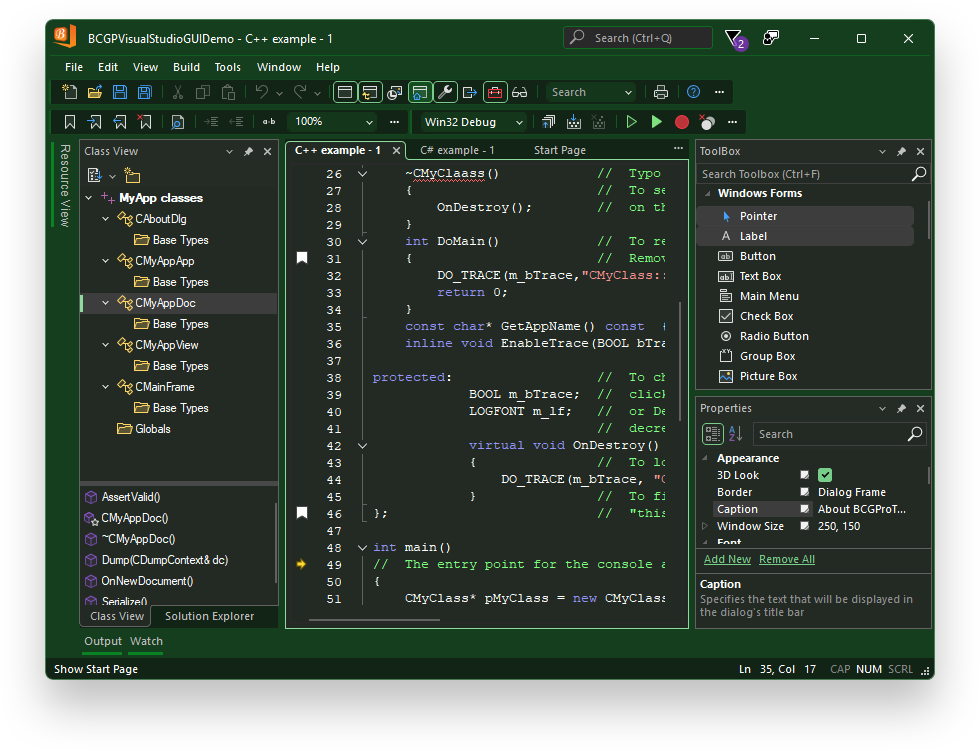
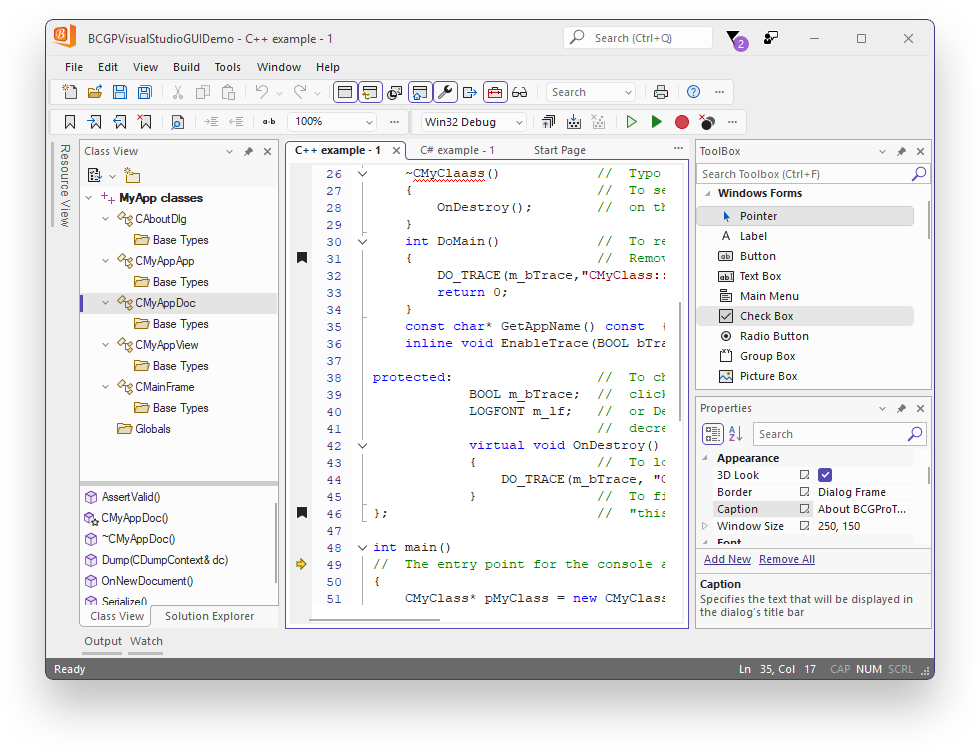
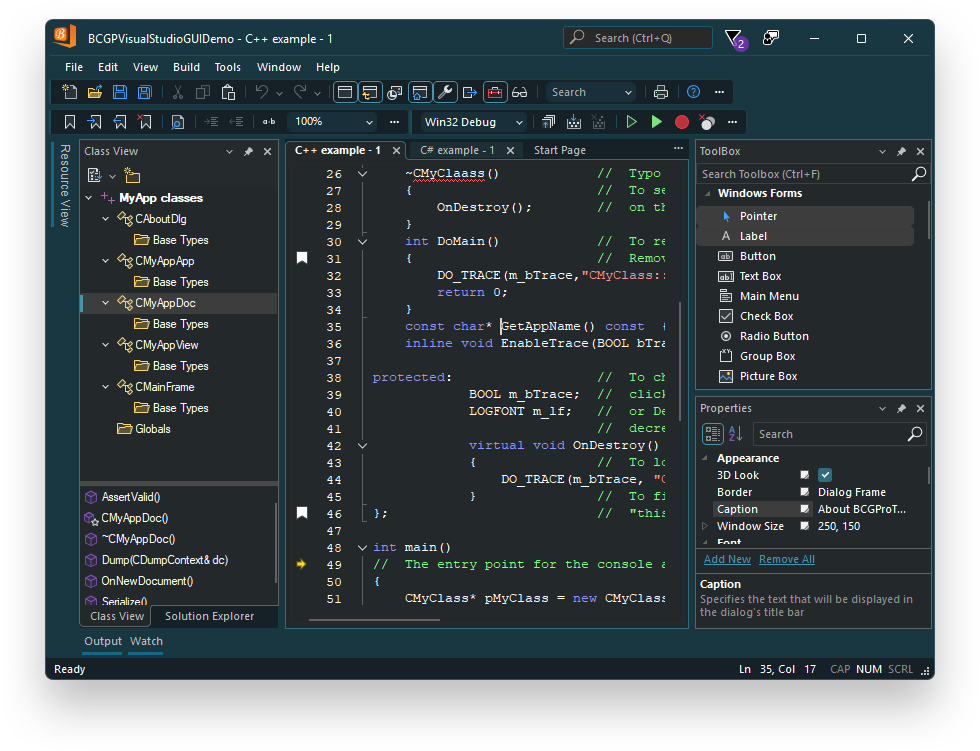
The library provides you with the ability to build an application with a Microsoft Visual Studio 2026-style appearance (light, dark, and other color themes, such as Cool Breeze or Mystical Forest).
The key features of this visual theme are
- The Fluent UI-inspired look.
- Controls have rounded corners.
- User-defined theme colors. You just need to specify two base colors: theme and accent, and the framework will automatically calculate all other colors required for the controls rendering.
- The docking bar's pin/unpin icons are diagonal.
- Toolbar grippers are highlighted when the user hovers over them with the mouse.
- Checkboxes and radio buttons are larger and have a contrasting appearance.
- Accent color borders surround focused areas of the user interface, such as active docking panes, tabs, and MDI child controls.
Visual Studio 2026 Mystical Forest theme:
Visual Studio 2026 light theme:
Visual Studio 2026 custom theme:
Sample code:
// Application class is derived from CBCGPWinApp
CMyApp::CMyApp()
{
    // Activate VS 2026 theme (Mystical Forest):
    SetVisualTheme(
        BCGP_VISUAL_THEME_VS_2026_MYSTICAL_FOREST);
}