Images with Hot Spot Areas
 BCGControlBar Pro (MFC)
BCGSuite (MFC)
 BCGControlBar for .NET
There is a special component that implements the functionality of a control with a background image containing clickable areas (hotspots). Its features are
- The developer can specify the hotspots as bounds inside the raster image, or, if the image is a vector (SVG), the hotspots can be specified by SVG element ID.
- You can provide the hot spot image control with both the regular image and the hot image.
- The hot spot area can be automatically highlighted when the mouse cursor moves over it.
- Ability to display a custom cursor when the mouse is hovering over the hot spot.
- Hot spot tooltips.
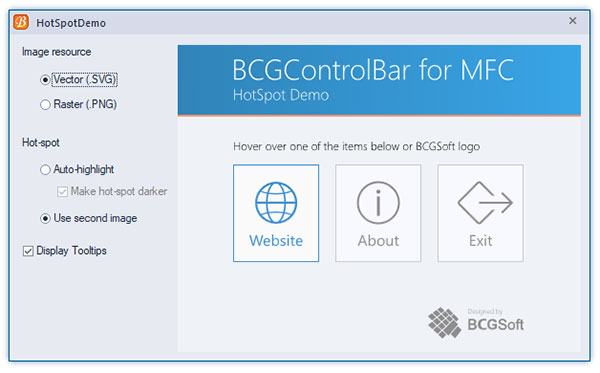
Sample code:
CBCGPHotSpotImageCtrl m_wndImage;
...
m_wndImage.SetImage (IDB_START /* Regular image */, IDB_START_HOT /* Image with hot areas */);

m_wndImage.AddHotSpot (id1, CRect (CPoint (220, 13), CSize (155, 36)));
m_wndImage.AddHotSpot (id2, CRect (CPoint (220, 48), CSize (145, 18)));
m_wndImage.AddHotSpot (id3, CRect (CPoint (220, 68), CSize (157, 36)));
m_wndImage.AddHotSpot (id4, CRect (CPoint (220, 102), CSize (136, 36)));

void CMyView::OnClickHotSpot()
{
	UINT uiCmd = m_wndImage.GetHotSpot ();

	// TODO: Process uiCmd command
}