Toolbar Color Combo Box
 BCGControlBar Pro (MFC)
 BCGSuite (MFC)
BCGControlBar for .NET
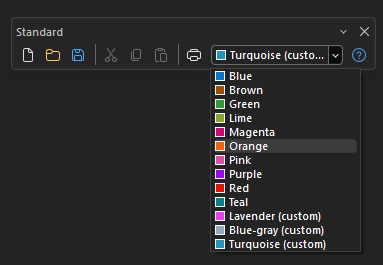
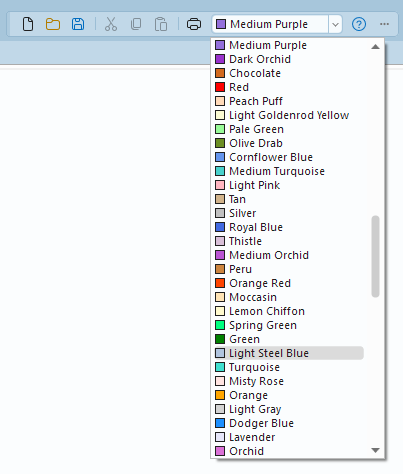
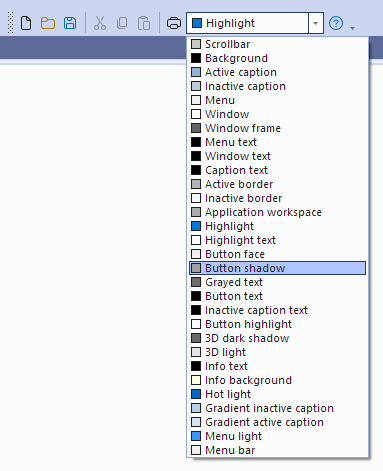
The toolbar color combo box is an owner-drawn combo box located on the toolbar, featuring a drop-down list that contains color names along with color boxes on its left side. The list may include either standard, system, or application "accent" or custom (user-defined) colors. Optionally, the color list may contain the "none" (undefined) or default color placed at the top.
Toolbar color combo box with accent and custom colors:
Toolbar color combo box with standard (Web) colors:
Toolbar color combo box with system colors:
Sample code:
CBCGPToolbarColorComboBoxButton comboAccentColor(
    ID_ACCENT_COLOR,
    CImageHash::GetImageOfCommand(ID_ACCENT_COLOR, FALSE),
    globalUtils.ScaleByDPI(170, this));

comboAccentColor.SetAccentColors();
comboAccentColor.AddColor(RGB(213, 244, 217),	_T("Light green (custom)"));
comboAccentColor.AddColor(RGB(253, 235, 222),	_T("Light salmon (custom)"));
comboAccentColor.AddColor(RGB(231, 234, 251),	_T("Light blue (custom)"));
comboAccentColor.AddColor(RGB(63, 0, 127),		_T("Dark purple (custom)"));

comboAccentColor.SelectItem(m_nAccentColor);

m_wndToolBar.ReplaceButton(ID_ACCENT_COLOR, comboAccentColor);