General Ribbon Features
 BCGControlBar Pro (MFC)
 BCGSuite (MFC)
BCGControlBar for .NET
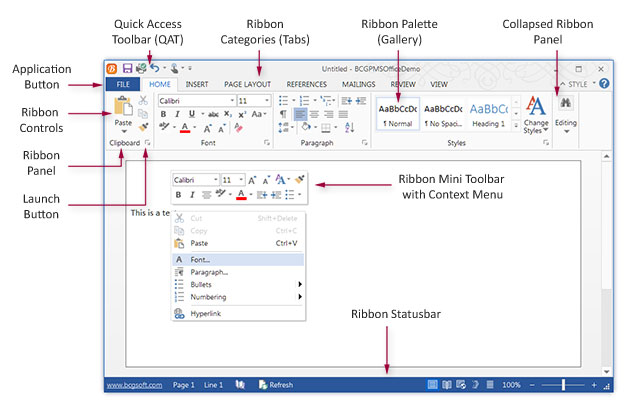
The "ribbon" control was introduced by Microsoft in Office 2007. It's not just a new control—it's a new user interface ideology. Ribbon control replaces traditional toolbars and menus with tabbed groups (categories). Each tab is logically split into panels, and each panel may contain various controls and command buttons. In addition, Ribbon Control provides a smart layout, maximally utilizing the available space. For example, when a panel is squeezed and lacks space to show all available controls, it transforms into a menu button that can reveal sub-items in a popup menu.
The ribbon control is fully customizable: the user can create its own tabs and groups, hide the initial groups, and add any controls to the quick access toolbar.
Ribbon Bar:
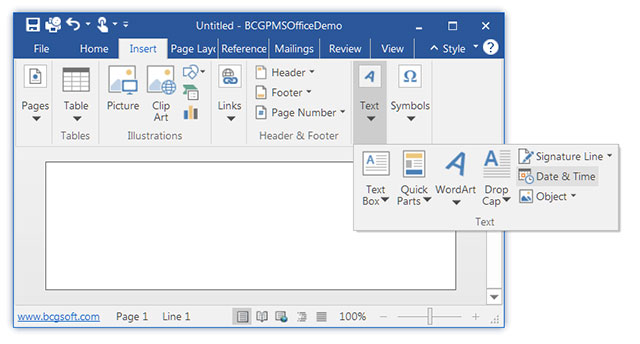
Ribbon Bar with "Collapsed" panel:
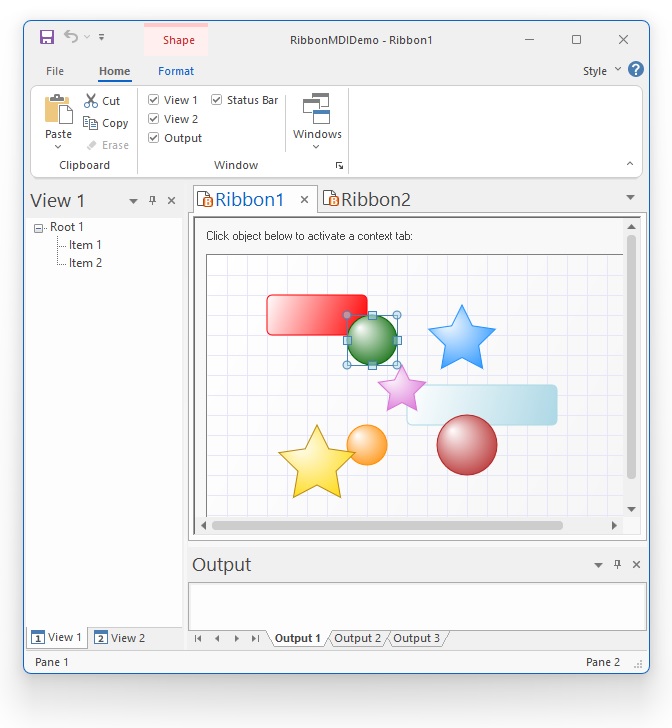
Ribbon in MDI application with other control bars:
Sample code:
CBCGPRibbonBar m_wndRibbonBar;
...
// Create ribbon bar:
m_wndRibbonBar.Create(this);

// Add "Home" category with "Clipboard" panel:
CBCGPRibbonCategory* pCategory =
	m_wndRibbonBar.AddCategory (
		_T("Home"),
		IDB_WRITE /* Small images */,
		IDB_WRITELARGE /* Large images */);

// Create "Clipboard" panel:
CBCGPRibbonPanel* pPanelClipboard =
	pCategory->AddPanel (
		_T("Clipboard"),
		GetIcon (FALSE));

CBCGPRibbonButton* pBtnPaste = new CBCGPRibbonButton(
	ID_EDIT_PASTE, _T("Paste"), 0, 0);
pBtnPaste->SetMenu(IDR_PASTE_MENU, TRUE);
pPanelClipboard->Add(pBtnPaste);

pPanelClipboard->Add(
	new CBCGPRibbonButton(
		ID_EDIT_CUT, _T("Cut"), 1));
pPanelClipboard->Add(
	new CBCGPRibbonButton(
		ID_EDIT_COPY, _T("Copy"), 2));
pPanelClipboard->Add(
	new CBCGPRibbonButton(
		ID_EDIT_FORMAT, _T("Format"), 3));

// Add quick access toolbar commands:
CList<UINT, UINT> lstQATCmds;

lstQATCmds.AddTail(ID_FILE_SAVE);
lstQATCmds.AddTail(ID_FILE_PRINT_DIRECT);

m_wndRibbonBar.SetQuickAccessCommands(lstQATCmds);