Microsoft Office like Color Dialog
 BCGControlBar Pro (MFC)
 BCGSuite (MFC)
BCGControlBar for .NET
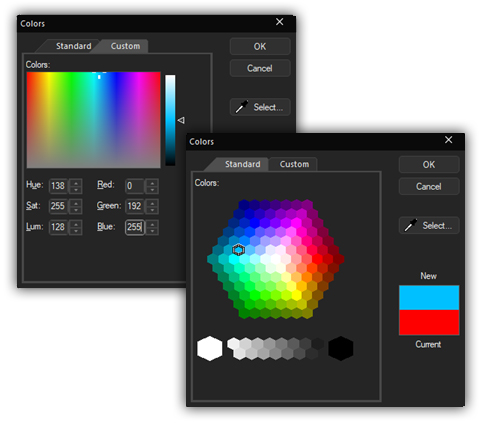
This dialog is actually a property sheet with two pages. The first page allows you to make a selection from one of the standard colors (from the system palette) using a list of colors in hexagonal form; the second page displays a control that allows you to select a custom color using a luminance bar and hex display. Alternatively, you can specify the RGB, HLS, or Web (hexadecimal) color values directly.
The user selects a particular color, which is then reported back to the application.
Sample code:
CBCGPColorDialog dlg (m_Color /* Initial color */);

if (dlg.DoModal () == IDOK)
{
	m_Color = dlg.GetColor ();
}