"Pager" button (chevron)
 BCGControlBar Pro (MFC)
 BCGSuite (MFC)
BCGControlBar for .NET
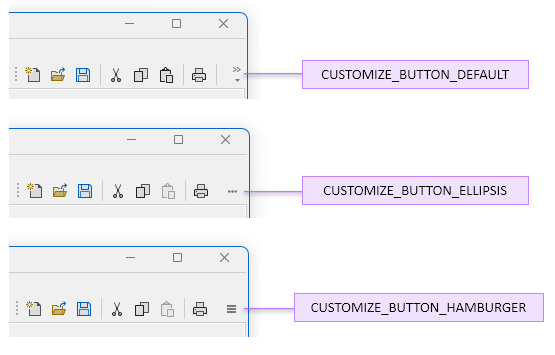
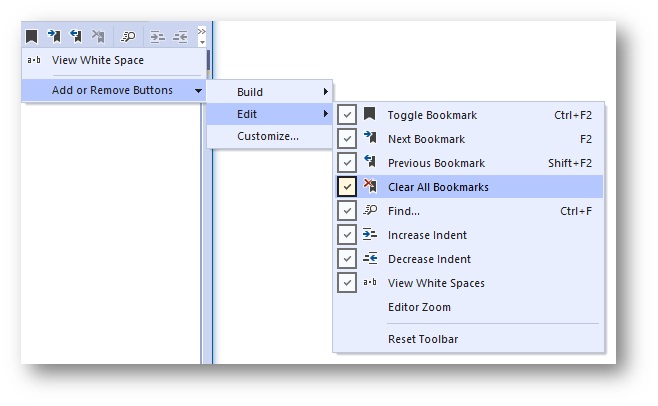
Putting the "Pager" button on a toolbar allows you to see hidden commands when the toolbar is stretched. This button also allows you to show/hide toolbar buttons using the quick customization menu. The button can be created with one of the following styles:
- Default (specified by visual theme).
- Drop-down arrow with an optional chevron.
- Ellipses.
- Hamburger.
Optionally, when the user clicks an off-screen menu item, the dialog with a corresponding toolbar control (such as an edit box or slider) will be displayed.
Customize button styles:
Toolbar quick customization menu:
Sample code:
m_wndToolBar.EnableCustomizeButton(
TRUE, ID_VIEW_CUSTOMIZE, _T("Customize..."));