LightBox Dialog
 BCGControlBar Pro (MFC)
BCGSuite (MFC)
 BCGControlBar for .NET
What's a Lightbox Dialog?
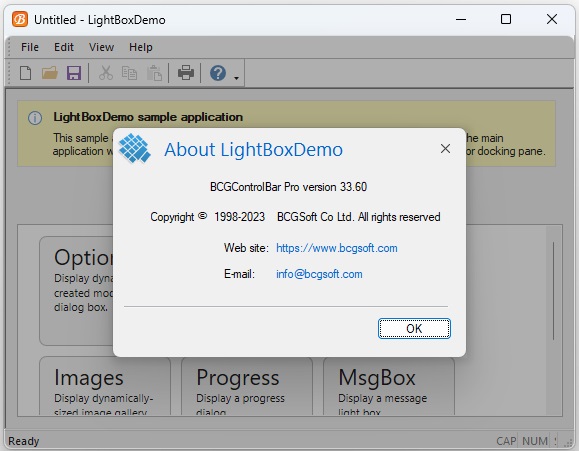
The LightBox dialog's look and functionality are very similar to web/mobile light boxes. This is either a modal or modeless window created on top of the application's window. The area around this window is automatically darkened, and all child windows of the application frame are disabled. Therefore, the user concentrates only on the active dialog.
The customer may resize, move or minimize the application frame when the LightBox dialog is active. If there is not enough space to display a whole dialog inside the application's frame, the dialog becomes smaller, and if the window has WS_HSCROLL/WS_VSCROLL style(s), the scrollbars will appear. The light box dialog is closed when the user clicks outside of this window (on the dark area of the application's window).
How to create a Lightbox dialog:
- The process is very similar to the creation of CDialog, CDialogEx or CBCGPDialog, but you have to derive your dialog class from CBCGPLightBoxDialog.
- To avoid child controls flickering, we suggest setting WS_CLIPCHILDREN and WS_CLIPSIBLINGS styles in the dialog resource.
- You may configure the Light Box Dialog appearance and behavior by modifying m_LightBoxOptions members in the class's constructor.
Light Box dialog customization:
- By default, the dialog is created in the center of the application's window, but you may place it on the left, right, top, or bottom of the frame.
- You may choose show/dismiss transition effects or disable this transition.
- Color and alpha of the application's "dark" area are fully customizable.
- You may enable or disable closing the dialog upon clicking outside the window.
Limitations:
- You cannot create multiple light box dialogs at the same time.
- The light box dialog is fixed in size and position.
- If a light box dialog is created in the ribbon-based application with Office 2007 style, the application button ("pearl") will be partially shaded.
Modal LightBox dialog:
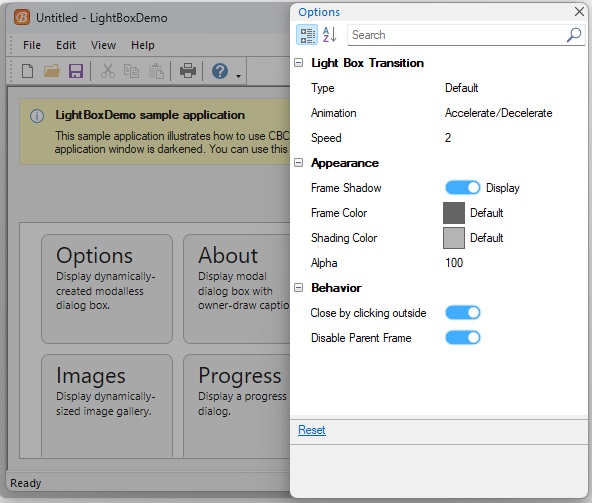
Right-aligned modeless LightBox:
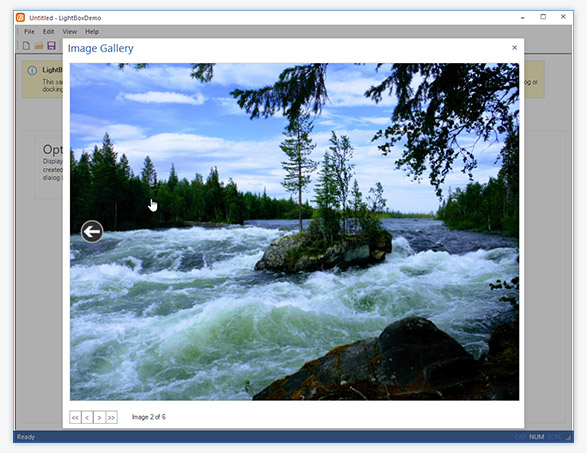
Dynamically-sized LightBox:
Sample code:
class CAboutDlg : public CBCGPLightBoxDialog
{
....
	enum { IDD = IDD_ABOUTBOX };
...
};

CAboutDlg::CAboutDlg() : CBCGPLightBoxDialog(CAboutDlg::IDD)
{
}

void CMyApp::OnAppAbout()
{
	CAboutDlg aboutDlg;
	aboutDlg.DoModal();
}